
Commission System
Commissions no longer have their own hotkey, and they no longer slide in from the left. Press L to open the Quest Book, then click the lower tab on the left to turn to Commissions.
The dossier header still reads Quest Management. The station name is Commissions. Press L again, or close the book, to put it away.
K is Void Time Shift now. Older copy that said “default K / a separate left-sliding quest manager” is outdated.
Three displays are easy to mix up:
- Quest Book · Commissions: opened on purpose, used to manage every commission.
- Commission Tracker: always on the left edge, and only lists tracked commissions. It folds away while the book is open.
- Damage contribution bar: slides out on the left during a hunt-type boss fight, then goes away. It is not the tracker.
There is no separate commission screenshot on this page. Read the dossier itself: the left-rail tab, four status tabs, and a row with the client’s stamp, title, and state. Do not treat the Heartcarver portrait as the commission UI.
Opening the dossier
Section titled “Opening the dossier”The hotkey lives under Settings → Controls → Mod Keybinds, listed as Quest Book: Toggle (incl. Commissions) (default L). The first time a commission registers, a card tells you to open the book. If the key is unbound, that reminder still names L as the default.
You can also use the inventory launcher icon, or the Quest Book item. The book remembers which station you left it on.
First-time guide: chapter two
Section titled “First-time guide: chapter two”Chapter one only covers the chart. Chapter two starts after the first commission is filed. Official lines:
Someone Left You a Job
The first commission is filed in the dossier. Go take a look.
Press [
L] to open the quest book.
Once the book is open:
Turn to the Dossier
The book remembers which station you left it on and opens there next time.
Then the cards teach, in order:
- One commission. The round stamp on the left is the client, the middle holds the title and progress, the right shows its state. Left-click to expand.
- Track it. Right-click pins it to the tracker on the left. A newly filed commission is often tracked already.
- The tracker. It stays on screen showing every tracked commission. Hold left-click to drag it. It folds away while the book is open.
- Suspending and sorting. Middle-click suspends a row and drops it off the tracker. The four tabs are Active / All / Completed / Suspended.
Each card has a button to continue. If nothing is pressed, the guide advances on its own. The whole run plays once per character. The ? inside the book replays it.
Using the dossier
Section titled “Using the dossier”From top to bottom the dossier holds the header, four status tabs, the commission list, and a footer line with the current totals. Tracked commissions sort to the top, followed by active, suspended, completed, and failed. Entries with the same status then sort by story priority.
| Tab | Shows |
|---|---|
| Active | Entries that are active or tracked (default tab) |
| All | Every entry |
| Completed | Completed entries |
| Suspended | Suspended entries |
The tabs filter by status, not by storyline. Each row still carries a category label (Halibut, Brimstone Witch, Draedon, and so on) so you can tell where it came from.
| Input | Effect |
|---|---|
| Left-click | Expand / collapse details |
| Right-click | Track / untrack |
| Middle-click | Suspend / restore |
Left-clicking to expand pulls a short summary out below the row. Expand another entry and the previous one folds up.
| Status | Meaning |
|---|---|
| Active | Activated, but not pinned to the tracker |
| Tracked | Pinned to the tracker bar on the left |
| Suspended | Hidden from the tracker; progress is kept |
| Completed | Objective met |
| Failed | The commission failed (where applicable) |
A freshly registered commission with active status switches to Tracked on its own and pops a “New Commission” notification. Some story commissions show an accept / decline prompt when offered, such as the Brimstone Witch’s hunt chain. A declined commission is shelved under Suspended.
Commission tracker
Section titled “Commission tracker”The Commission Tracker on the left edge always shows every Tracked commission. Progress can be read without opening the book. Hold left-click to drag the whole group. That position is saved. When the quest book is open, the tracker collapses first.
The tracker also hides while a chest is open, while talking to an NPC, while a shop or the Guide’s crafting menu is open, and during Hack Time. If the tracker sits over a nearby enemy, it fades to half opacity.
Some commissions need an extra condition before they appear in the tracker, such as holding the matching legendary weapon. When the condition is not met the tracker hides them, but the dossier still lists them as tracked, and they return the moment you pick the weapon up. Once Halibut’s fish-oil commission reaches enough fish, the game prompts “Fish collected. Please focus on the quest to submit.”, and tracking it lets you hand the fish over.
Boss contribution HUD
Section titled “Boss contribution HUD”While fighting the target boss of a hunt commission, a damage contribution bar slides out on the left. It shows, in real time, how much of the target’s max life came from the required weapon, and the threshold that must be reached. This is a temporary, combat-only display. Its look changes with the current storyline (Brimstone, Draedon, or the Sulphurous Sea). It is not the Commission Tracker.
Settlement checks contribution only. If the named weapon (and the projectiles it fires) reach the threshold, the commission succeeds. The killing blow no longer has to land with that weapon.
The Brimstone Witch’s three hunt commissions use these thresholds:
| Commission | Required weapon | Contribution threshold |
|---|---|---|
| Commission: Hunt the Profaned Goddess | Pallbearer | 80% |
| Commission: Hunt the Devourer of Gods | Heartcarver | 80% |
| Commission: Hunt the Incineration Dragon | Oni Machete | 75% |
If the share is too low, the prompt reads “Insufficient damage contribution from the weapon” and the commission fails. The old line “Did not land the killing blow with the specified weapon” no longer appears.
UI skins
Section titled “UI skins”The quest book’s top bar cycles four skins. The dossier follows the book. Look only:
| Skin | Theme |
|---|---|
| Hotwind | Desert / hot-wind |
| Draedon | Draedon lab |
| Forest | Forest |
| Chronicle | Expedition Record. Default for new saves |
Notifications
Section titled “Notifications”Tracking, suspending, and completing each pop a small notification in the corner: New Commission, Tracked / Untracked, Suspended / Resumed, and Commission Completed.
Category labels
Section titled “Category labels”| Category | Examples |
|---|---|
| Halibut | Fish-oil commission |
| Brimstone Witch | Commission: Hunt the Profaned Goddess / Commission: Hunt the Devourer of Gods / Commission: Hunt the Incineration Dragon |
| Draedon | Deploy signal towers |
| Old Duke | Campsite and Ocean Scraps chain |
| Halibut Legend | Boss milestone upgrades |
| SHPC · Trials | 22 boss goals |
| Deep-Dive Archaeology | Dive Beyond the Wall. Issued only while holding SHPC. Complete with one safe logout. See OldNet dive (single-player) |
Legendary trials (Halibut, SHPC) register in the dossier too. Their mechanics stay on the legendary weapon pages.
Town NPCs Victor and TBUG live on the World pages. They are not ADV storylines.
Storyline navigation
Section titled “Storyline navigation”
Halibut
Covers first meeting, gifts, fish-oil jobs, revival warnings

SHPC
SHPC onboarding · hyperdream · hacker mode · trial prerequisites

Brimstone Witch
Multi-stage scenes · hunt commissions · EBN ending
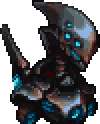
Draedon
Signal towers · Exo mechs · galactic crisis
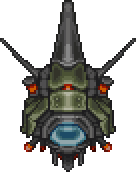
Acheron Protocol
One of Draedon's highest-level emergency contingencies

Old Duke
Campsite · ocean scraps · Sulphurous Sea lore

Himura Mayo
Torii draw · first meeting · trial gate · gifts

Shenyo
Story umbrella · Kikasa grant · gate-umbrella return · gifts